Editing the vertical layout
All elements in the vertical layout are displayed one below the other. The button for adding new elements can be found below the existing elements and is called Extend vertical layout.
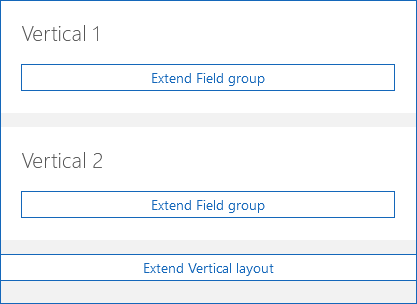
Customizing the display of the vertical layout
You open the settings for the vertical layout by clicking a free spot within the vertical layout itself.
Device classes
In the Device classes field, you can define the types of devices on which the elements can be displayed.
Option | Description |
|---|---|
Mobile | The element is displayed in the SmartWe Mobile App. |
Web | The element is displayed in SmartWe in the browser. |
Visible
With the Visible option, you define whether the element should be displayed.
SmartWePremium
With this button, you can also enter a script to individually define the visibility.

Enabled
With the Activated option, you define whether the element is activated or deactivated.
If you clear the checkbox and thus disable the element, it will be displayed in read mode only. If buttons are available for the element, they will be displayed grayed out.
The Activated option is only available in the editing mode of a data record.
SmartWePremium
This button allows you to enter a script as an alternative if you want to individually control the activating and deactivating of the element.

Only readable
With the Only readable option, you define whether the element can be edited or is displayed in read mode only.
If you activate this option and the element is displayed in read mode only, any existing buttons will be completely hidden.
The Only readable option is only available in the editing mode of a data record.
SmartWePremium
This button allows you to enter a script as an alternative if you want to individually control under which conditions the element is displayed in read mode only.

Hide automatically
For an element you can set how it should behave if no content is available.
Option | Description |
|---|---|
Activated | An empty element is always hidden. |
Deactivated | A empty element is always displayed. |
Default (activated) Default (deactivated) | The setting of the parent element is adopted. The brackets always contain the value that is set for the parent element. A parent element can, for example, be the z-layout. |