Add group
If you have selected user-defined grouping, then you can create multiple groups and define filter settings for these groups.
Procedure
- Click Add group.
- Enter the name of the new group in the desired languages.
The name of the group is displayed in SmartWe.
- Click Apply.
- The group is saved. Repeat this process until you have created all the groups you wish to create.
You can edit the groups after you have created them.
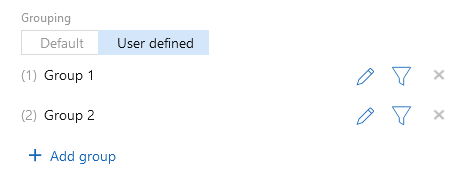
Function | Description | |
|---|---|---|
Change order | The number in front of the group name indicates the order. You can change the order using drag and drop. | |
Edit color | Click this button to select a color for this group. | |
Edit translation | Click this button to change the name of the group in all desired languages. | |
Adjust filter | Click this button to define filter settings. You can find more information on filters on the following page: Customizing filters. | |
Delete | Click this button to delete the group from the list. This button is only available if at least 2 groups have been created. The last group cannot be deleted. |


