Exporting apps
SmartWePremium
You can export your own apps, for example, to create a backup or to move the app to another tenant.
Apps can only be exported individually.
Requirements
- To do this, the App Designer has to be activated.
- The app you wish to export, has to be your own app, that is created by you or another user.
Apps delivered with SmartWe cannot be exported or imported.
- All changes to the App Designer have to be published. If you still have unpublished changes, then you will have to publish these first.
Exporting custom apps
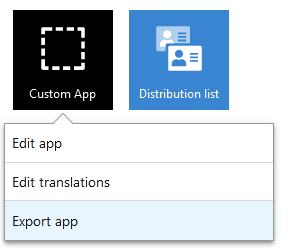
- Right-click the app icon to open the context menu.
- Select Export app.
- If necessary, you can enter another file name and click Download.
- The file will begin to download.