App management
In the App management block, you can define various basic app settings. Depending on the app type, different settings are available.
Functions
Function | Description | |
|---|---|---|
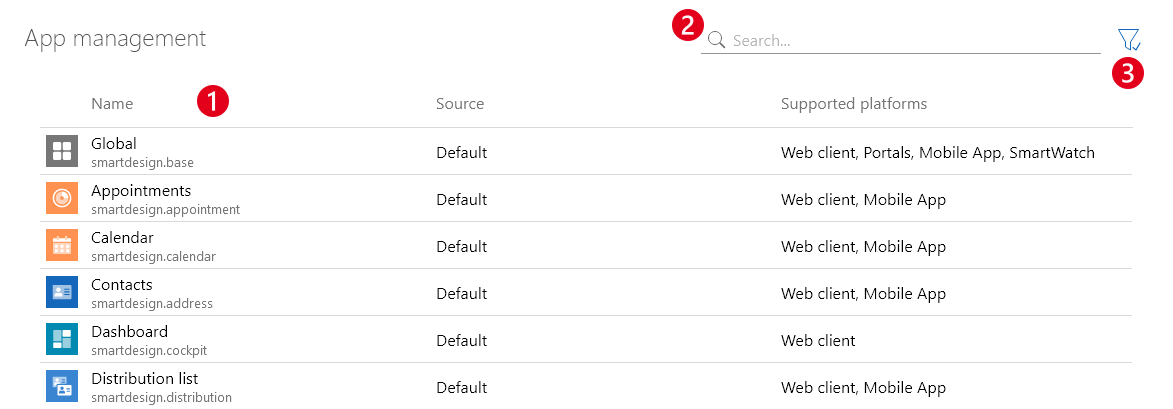
❶ | Open settings | The table displays the apps you can edit. Click an app to open it. Global is not an app, but you can define global app settings that apply for all apps here. |
❷ | Search | With the search, you can search both for the display name of an app as well as the technical name. Only the apps displayed in the table can be found as search results. Check the filter settings if you cannot find the app you are searching for. |
❸ | Filter | You can filter the displayed app by supported platforms. By default, the apps available for the web client and the mobile app are displayed. If you also want to display all smartwatch apps, you need to adjust the filter settings. |